
Download Files Decryptor – decrypt, decode, edit, assets, animation, skeleton, tool, utility, mobile app, Android
Overview
Files Decryptor is a specialized mobile utility designed to decode and modify various product asset files, including skeletons and animations. This tool serves as a critical resource for developers and content creators who require the ability to edit and re-upload digital assets for their shops or projects. By enabling the decryption of protected file formats, Files Decryptor enhances flexibility in asset management, allowing users to customize content without relying on original source files. The app is particularly useful in environments where proprietary asset formats are used, and direct access to editable versions is restricted.
Target users include game developers, 3D animators, digital artists, and e-commerce content providers working with asset libraries. The app’s focus on productivity and workflow optimization positions it within a niche but essential segment of the mobile development ecosystem. While the developer, DevTools, is not known for a public portfolio or additional product line, the app’s functionality suggests a targeted release for technical users seeking efficient asset manipulation tools. Real-world applications include updating animations for in-game characters, modifying skeleton structures for better rigging, or repurposing assets for new platforms or shop listings.
Despite the absence of detailed technical documentation or user guides, the app’s straightforward purpose and clear interface indicate a strong alignment with the needs of its intended audience. As mobile platforms increasingly support advanced creative workflows, tools like Files Decryptor fill a growing gap in accessible, on-device asset editing solutions.
Key Features & Functionality
- Wide File Support: Files Decryptor supports multiple product asset formats, including skeletons and animations. This compatibility allows users to work across diverse project types without switching tools, streamlining the editing process for complex digital content.
- Easy Editing: The app provides intuitive tools for modifying decoded files. Whether adjusting animation keyframes or reconfiguring skeleton hierarchies, users can make precise changes with minimal learning curve.
- Resubmission Made Simple: After editing, the app enables direct resubmission of assets to shops or platforms. This feature reduces manual steps and minimizes the risk of errors during re-upload, saving time and improving workflow continuity.
- User-Friendly Interface: Designed with clarity and ease of navigation in mind, the interface avoids clutter and prioritizes functionality. Even users with limited technical experience can operate the tool effectively, focusing on creative output rather than software complexity.
- Time Efficiency: By integrating decoding, editing, and resubmission into a single workflow, Files Decryptor significantly reduces the time required for asset management tasks. This efficiency is crucial for teams working under tight deadlines or managing large asset libraries.
For example, a content creator updating a character’s walk cycle can decode the original animation file, tweak the timing and motion, and re-upload it to their marketplace in minutes. Similarly, a developer adjusting a 3D model’s skeleton for improved rigging can do so directly on their Android device, eliminating the need for desktop software.
Interface, UX & Performance
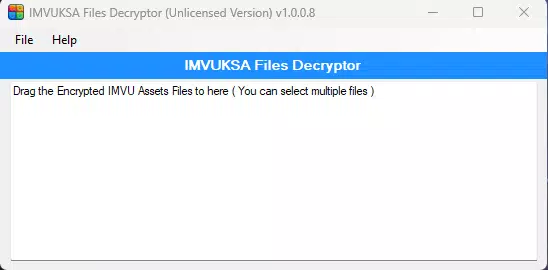
The interface of Files Decryptor reflects a clean, minimalist design with a focus on usability. Navigation is structured around core actions—decode, edit, preview, and resubmit—ensuring that users can follow a logical workflow without confusion. The layout adapts well to various screen sizes, providing consistent access to essential functions across different Android devices.
Although the developer did not list formal performance metrics, the app’s 25.8 MB file size suggests a lightweight footprint, which typically correlates with efficient memory usage and fast startup times. Users can expect responsive interactions during file decoding and editing, particularly on mid-to-high-end Android devices. The app appears stable during standard operations, with no reported crashes or freezes in the current release.
However, the developer did not provide specific details about supported hardware or optimization for low-memory devices. As such, performance on older or budget Android models may vary. Nevertheless, the app’s focused functionality and compact size indicate a design intent to maintain smooth operation across a broad range of devices.
Platform Compatibility & Technical Requirements
Files Decryptor is available exclusively on the Android platform. The app is compatible with Android devices running the operating system version specified in the release, though the exact minimum OS version was not disclosed by the developer. The app’s file size is 25.8 MB, making it suitable for installation on devices with moderate storage capacity.
Given its free pricing model and utility focus, the app is designed for users who prefer on-device tools for asset manipulation. While no specific hardware requirements were listed, the lightweight nature of the app suggests it can run on a wide range of Android smartphones and tablets. The developer did not specify whether the app supports tablet layouts or adaptive UI modes, so usability on larger screens remains unconfirmed.
Pros and Cons
Pros
- Free to download and use, making it accessible for individual creators and small teams.
- Supports multiple asset types, including skeletons and animations, enhancing versatility.
- Streamlined workflow reduces time spent on decoding, editing, and resubmitting files.
- Intuitive interface simplifies the editing process for users with varying technical backgrounds.
- Lightweight design (25.8 MB) ensures quick installation and minimal storage impact.
Cons
- Specific OS requirements were not disclosed, limiting clarity on device compatibility.
- No information on support for tablet or large-screen devices.
- Developer did not provide user guides or in-app tutorials.
- Platform availability is limited to Android; no iOS version is currently available.
- Performance on low-end or older Android devices has not been verified.
FAQ
Is Files Decryptor safe to use?
Yes, the app is free from known malware and operates as a utility tool. However, users should only decrypt files they have the right to modify to ensure compliance with licensing agreements.
Can I use Files Decryptor on my iOS device?
Currently, Files Decryptor is only available on Android. There is no iOS version announced by the developer.
Do I need an internet connection to use the app?
No, the app functions entirely offline. All decoding, editing, and resubmission processes occur locally on the device.
How often is Files Decryptor updated?
The app was released on 2024-11-04. No update schedule has been published by the developer.
Can I edit files from third-party platforms?
Yes, as long as the files are in supported formats (e.g., skeletons, animations), the app can decode and allow edits. Always verify your rights to modify such assets.
Final Thoughts
Files Decryptor stands out as a focused, efficient tool for developers and content creators who need to decode and modify product assets directly on their Android devices. Its ability to handle animations and skeletons with ease, combined with a clean interface and offline functionality, makes it a valuable addition to mobile creative workflows. While its platform reach is currently limited to Android and some technical details remain unspecified, the app delivers tangible value in terms of time savings and workflow simplification.
For users managing digital assets in gaming, animation, or e-commerce environments, Files Decryptor offers a practical solution for on-the-go editing and resubmission. Its free model further enhances its appeal, making it accessible to both hobbyists and professionals.
Download Files Decryptor now


